Part 91Crew requests
Crew accept trips with one tap.
Ask by seniority, rotation or first available. Each pilot gets the request by text or email; a decline or no answer moves on to the next pilot by itself.
How it works.
Pick how to ask
Choose how each seat gets filled, and GoFBO works down the list for you.
- Seniority asks one pilot at a time, in your order
- Rotation spreads the trips around evenly
- First available asks everyone and gives the seat to whoever says yes first
- Include full-time crew, contractors, or both
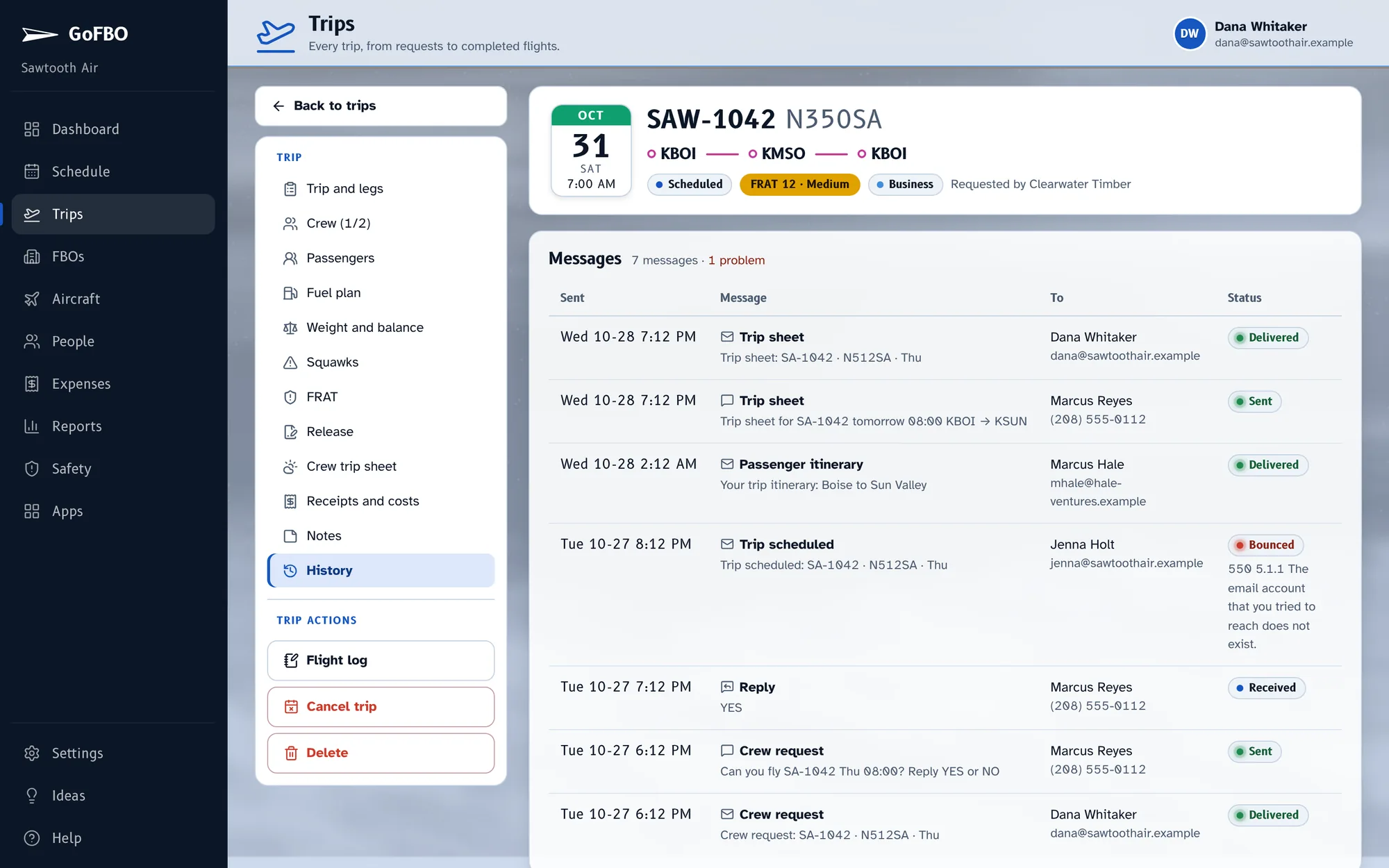
Pilots answer from their phone
A text they answer YES or NO, or an email with an Accept trip button. No app to install and no sign-in. A decline, or no answer inside your reply window, moves on to the next pilot.
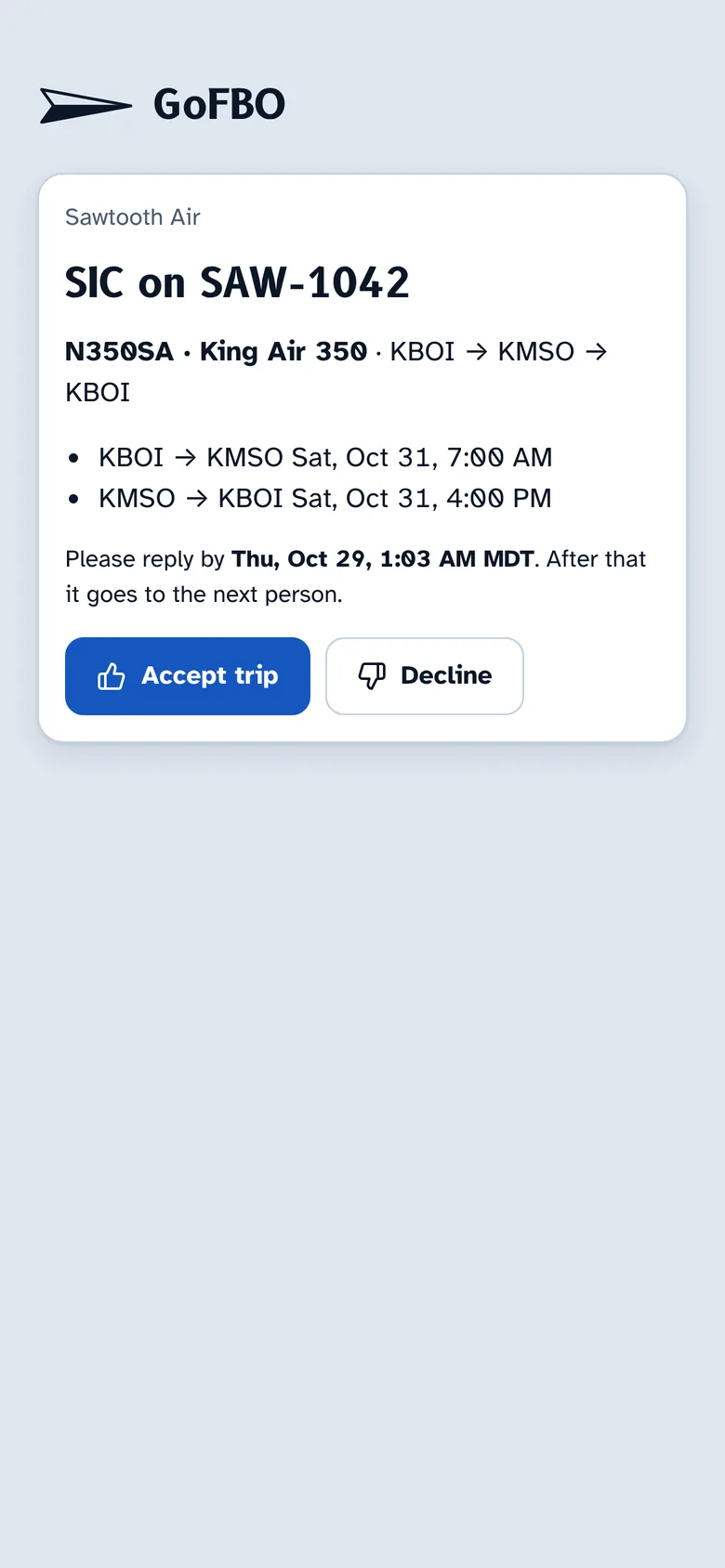
You see every answer
Who was asked, who declined and who has the trip, on the trip and on the dashboard.
- Quiet hours pause requests overnight unless the trip leaves soon
- Reply windows you set
- Every message logged on the trip, with delivery status
What's included.
- Seniority, rotation or first available
- Text or email, no app
- Declines and timeouts move on automatically
- Quiet hours and reply windows
- Every message logged on the trip
Works well with.
Start with your next trip.
Try GoFBO free for 30 days with every feature in the plan you pick. Set up your aircraft and crew in an afternoon and fly your next trip with it.
No card until the trial ends. If you don't add one, your account simply pauses, with everything saved.