Part 91Schedule and trips
Plan a trip in a minute.
Pick the aircraft and the airports. GoFBO estimates each leg, works out arrival times in local time at the other end, and flags crew days off, maintenance and expiring documents before you save.
How it works.
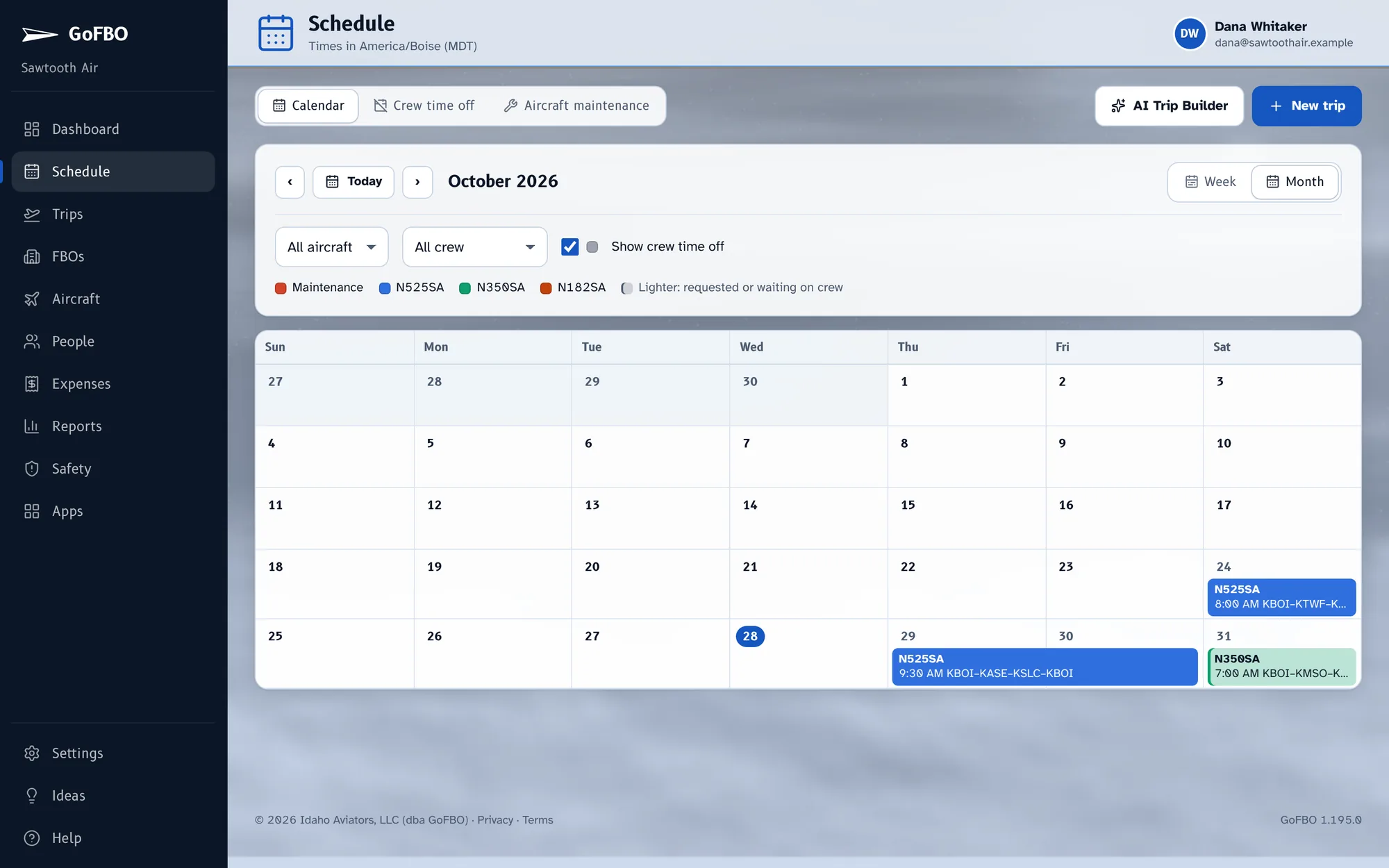
See the whole month
One calendar everyone can see, so nobody has to ask who's flying what tomorrow.
- Each aircraft in its own color
- Maintenance and AOG days in red
- Crew time off in gray
- Multi-day trips drawn across the days they span
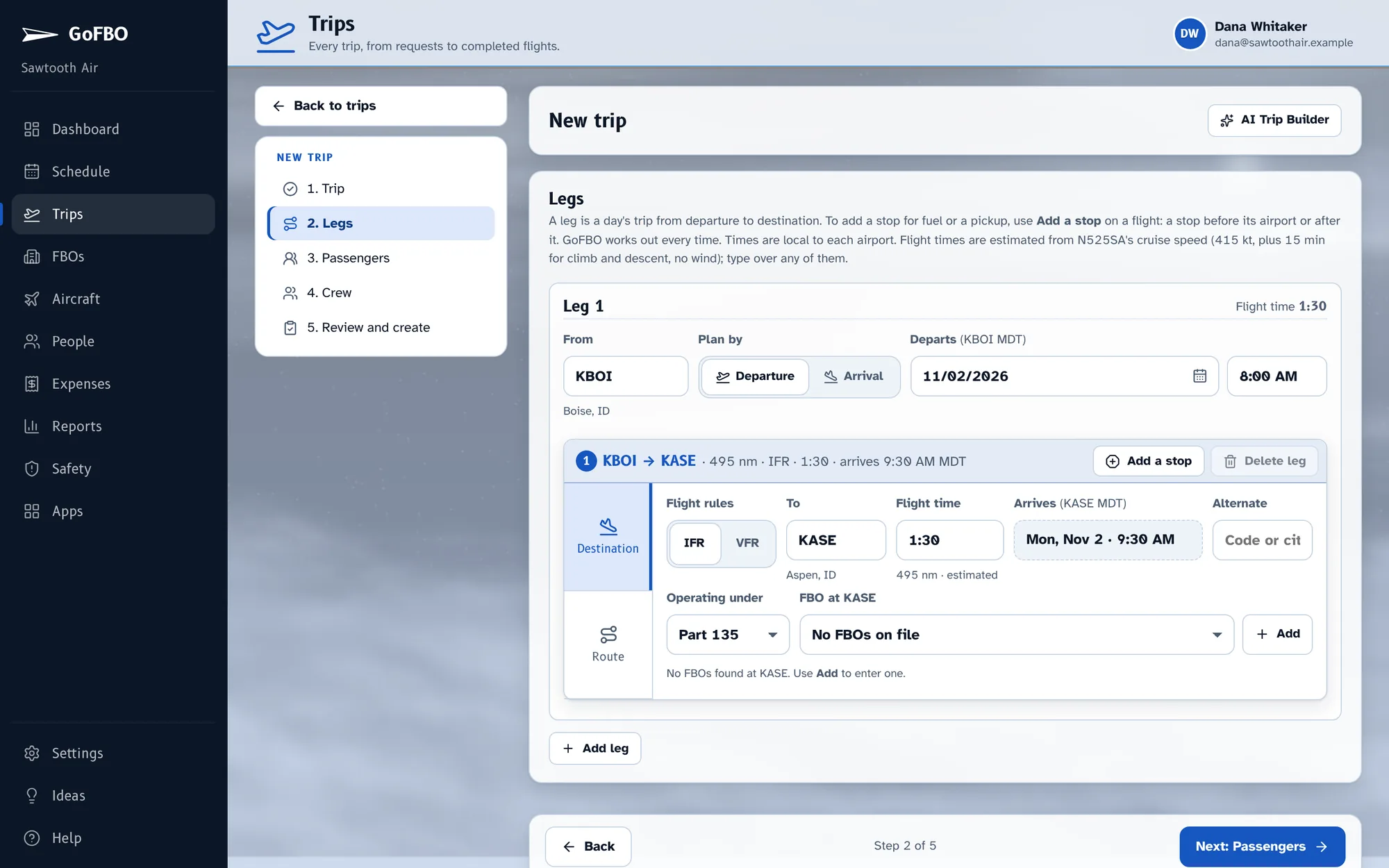
Build the trip
Choose the aircraft and the airports. Flight times fill in from the aircraft's cruise speed, climb and descent, and arrivals are shown in the local time where you land.
- Plan by departure, or by when the passengers need to be there
- Type over any estimate
- Warnings before you save: time off, maintenance due, expired documents, crew not qualified
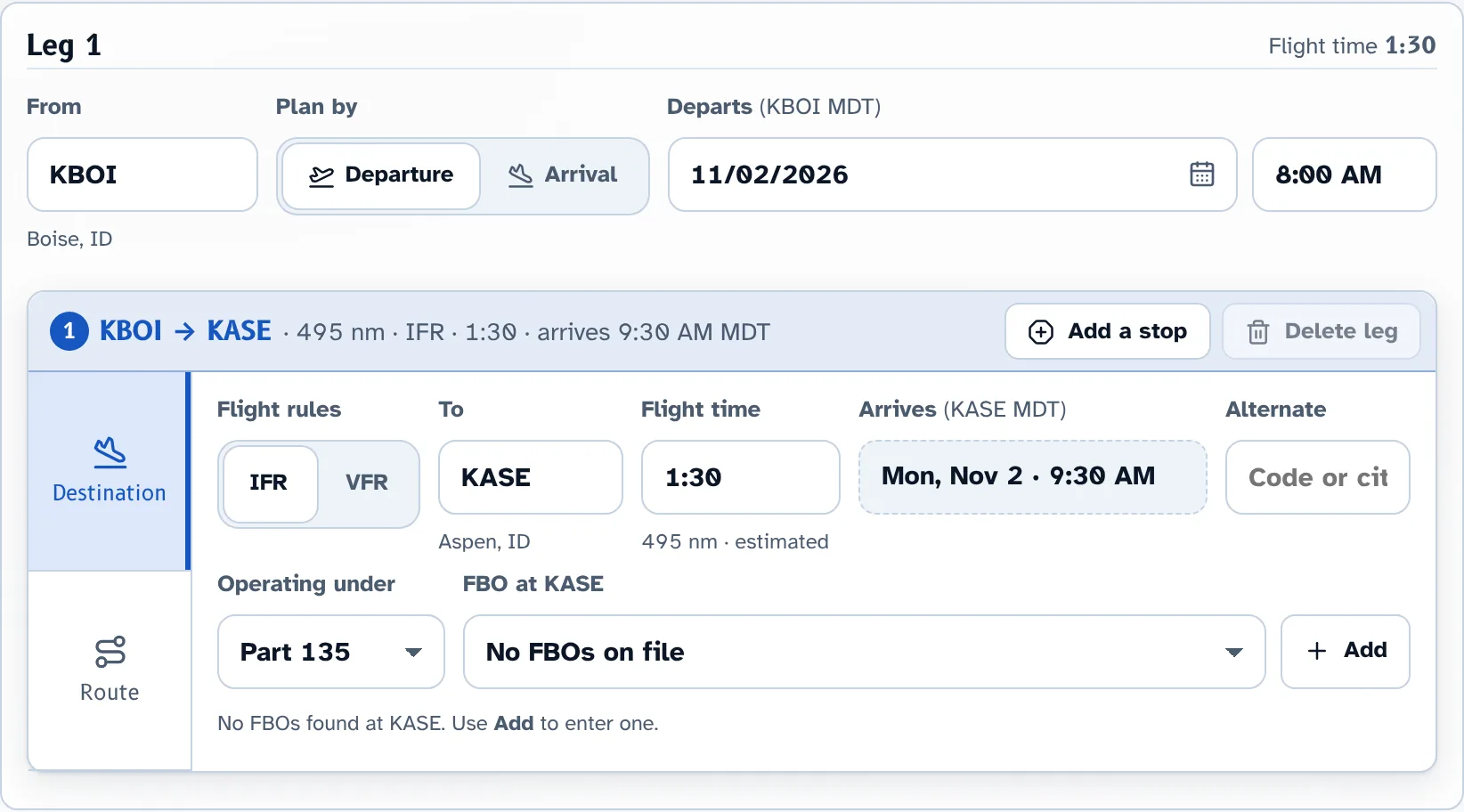
Add stops and FBOs
Fuel stops, multi-day legs and the FBO at every stop, each in its own airport's time zone. A leg past the aircraft's range offers a fuel stop right in the row.
What's included.
- Flight times from cruise speed, climb and descent
- Local times at every airport
- Conflicts with time off, maintenance and documents
- Plan by departure or arrival
- Live updates when someone else changes a trip
Works well with.
Start with your next trip.
Try GoFBO free for 30 days with every feature in the plan you pick. Set up your aircraft and crew in an afternoon and fly your next trip with it.
No card until the trial ends. If you don't add one, your account simply pauses, with everything saved.