Part 91Weight and balance135.63(c)
Weight and balance on the envelope.
Crew, passengers, bags and fuel become the load manifest. Zero fuel, takeoff and landing are plotted on the aircraft's own CG envelope, and anything outside it is flagged before anyone signs.
How it works.
Set up the aircraft once
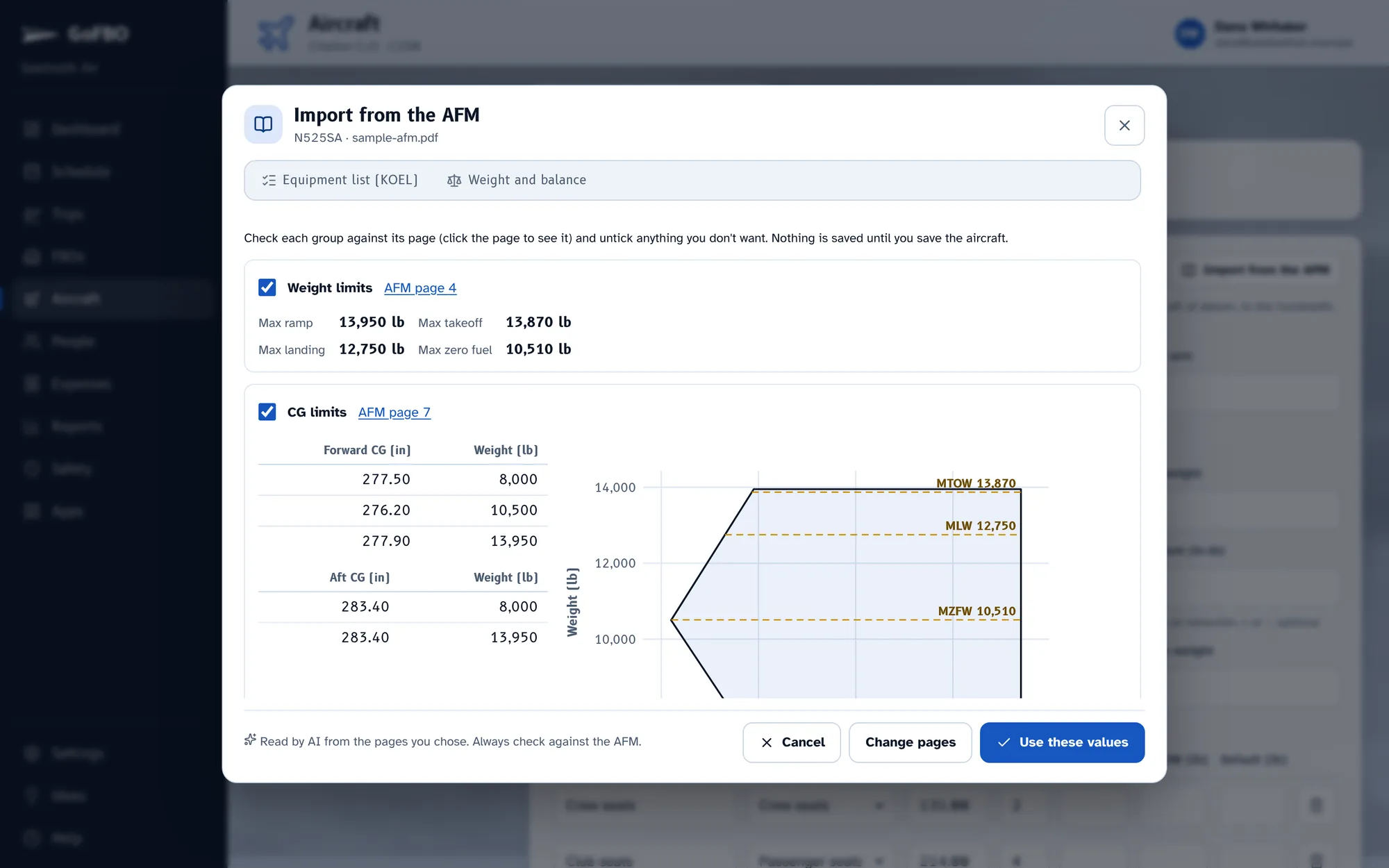
Upload the flight manual PDF. GoFBO finds the weight and balance pages and reads them for you to check.
- Stations and their arms
- Forward and aft CG limits
- The fuel moment table
- Weight limits: ramp, takeoff, landing and zero fuel
Load each leg
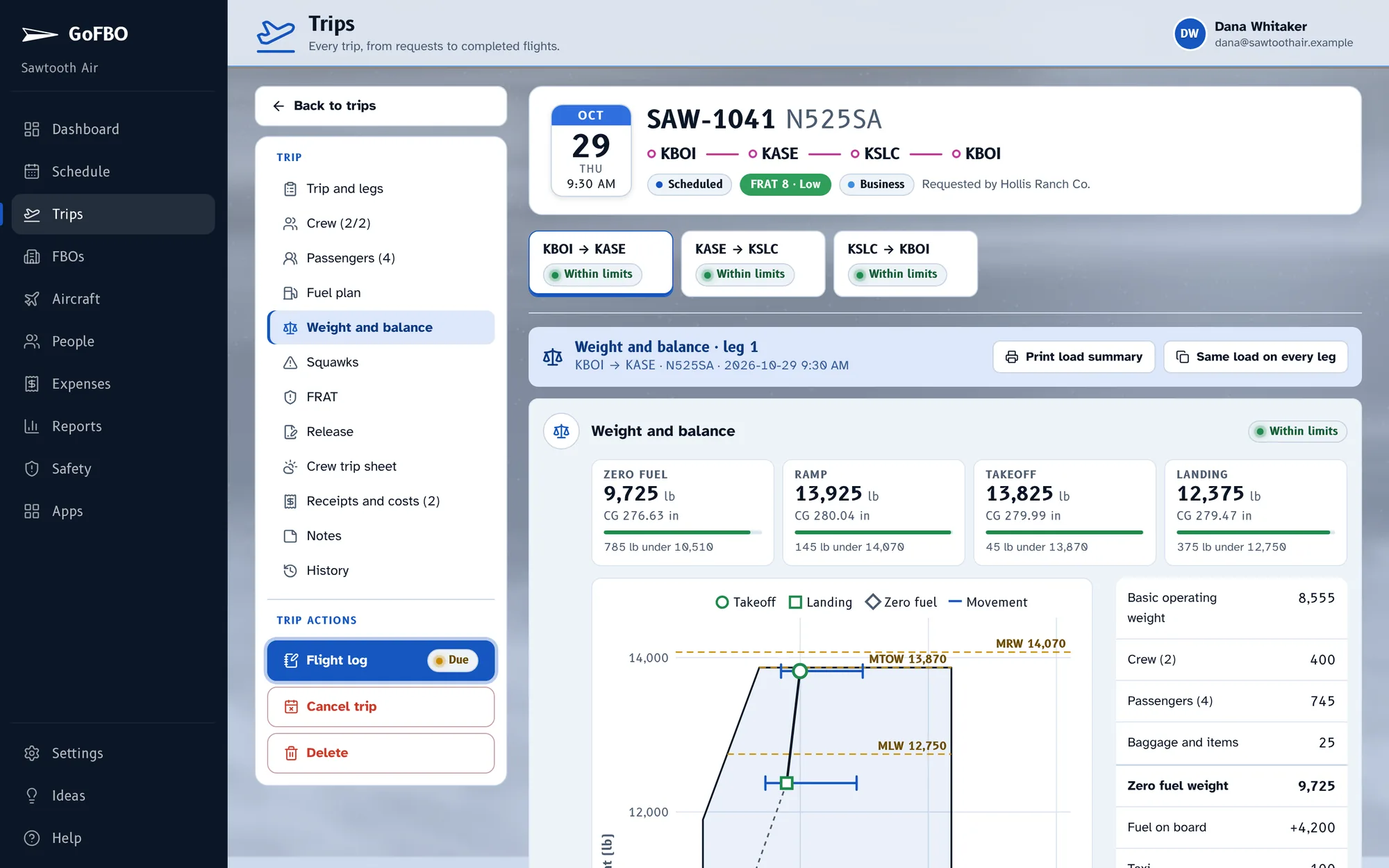
People and bags come from the passenger manifest, crew weights from their profiles, and fuel and burn from the fuel plan. Change a seat and the chart moves.
Print the summary
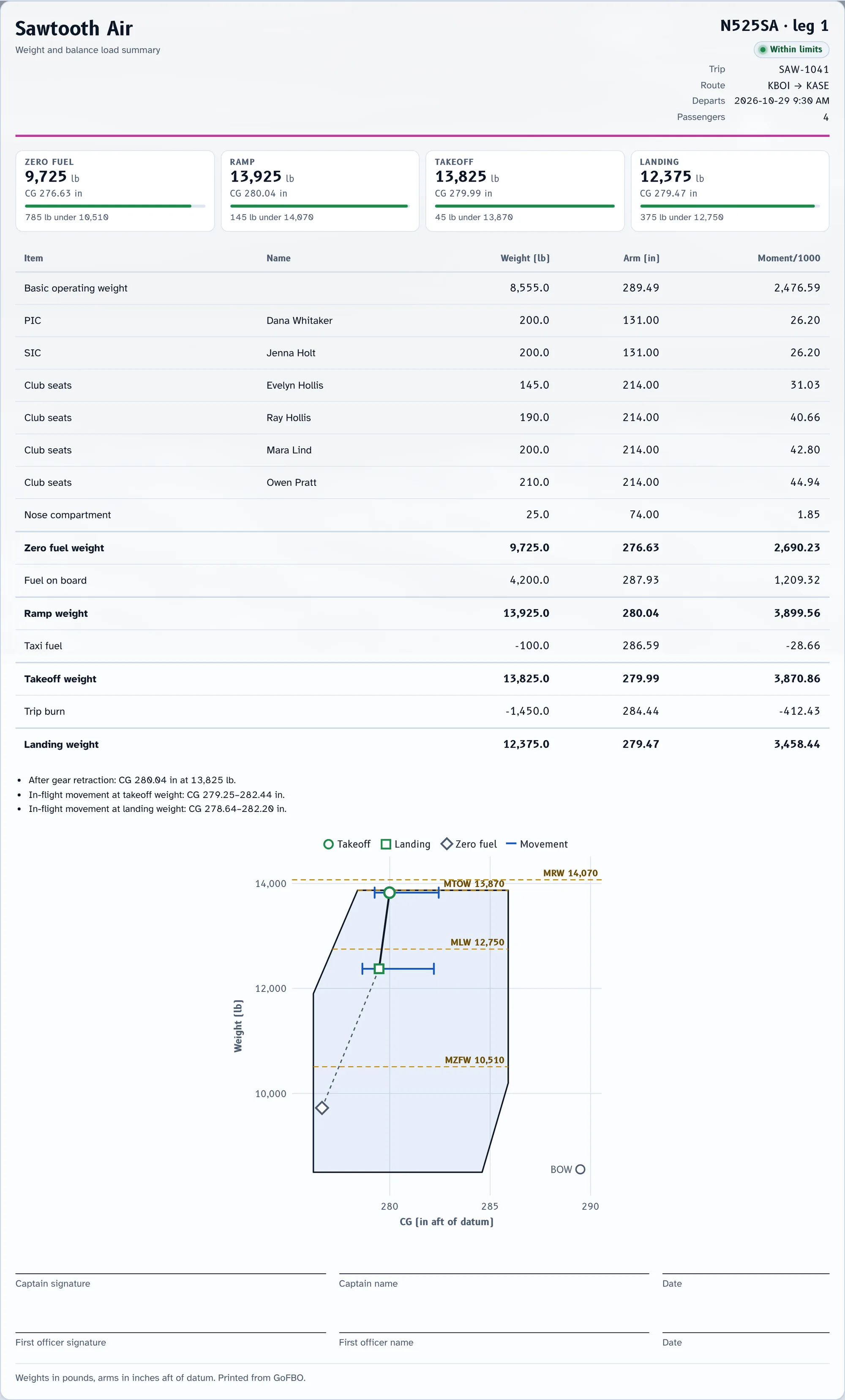
A one-page load summary for the aircraft, and the same load in the crew's trip sheet PDF.
What's included.
- CG envelope and limit lines
- Fuel from the fuel plan
- Flight manual import
- Printable load manifest
- Included with Part 135
Works well with.
Start with your next trip.
Try GoFBO free for 30 days with every feature in the plan you pick. Set up your aircraft and crew in an afternoon and fly your next trip with it.
No card until the trial ends. If you don't add one, your account simply pauses, with everything saved.